- Getting Started
- How to Install Church WebApp
- How to login/sign in
- Navigating the Application
- App Workspace Overview
- Searching for data within the system
- Members Management
- How to signup/register
- How to delete/deactivate your account
- Managing user groups
- How to edit a profile
- Managing attendance
- How to delete another account
- How to view a member's details
- Manual activation of account
- Manage Admin Users
- How to register using QR (Quick Response) code
- How to change password
- Features and functionalities
- Finance Management
- Others
- Communication
- Permissions
Managing attendance
You can mark attendance for members who attended a particular event or function.
- To manage attendance, login to the system
- On the left menu, click Members Mgt., click Attendance
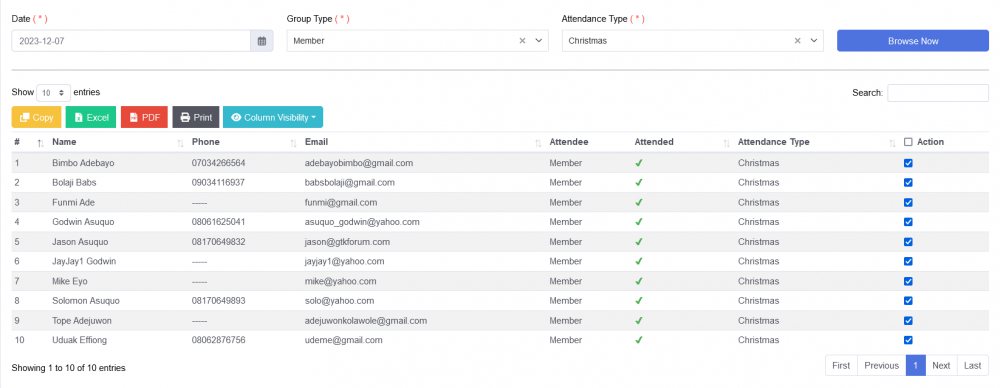
- On the Attendance page, browse attendees by selecting Date, Group Type and Attendance Type.
- Click on Browse Now button
- Members table appears, on Action column, select the member(s) to check or uncheck as being or not attendees for an event or programme.
Note: A member can also sign in to a service by scanning the QR code
Was this article helpful?